Download JPG format files from iCloud
Creation date: 1/6/2026 9:37 AM
Updated: 1/6/2026 9:53 AM
When downloading photos from iCloud.com, you can choose to save images in a compatible JPEG
Select the photo(s) you want to download. Right click and select "More Download Options"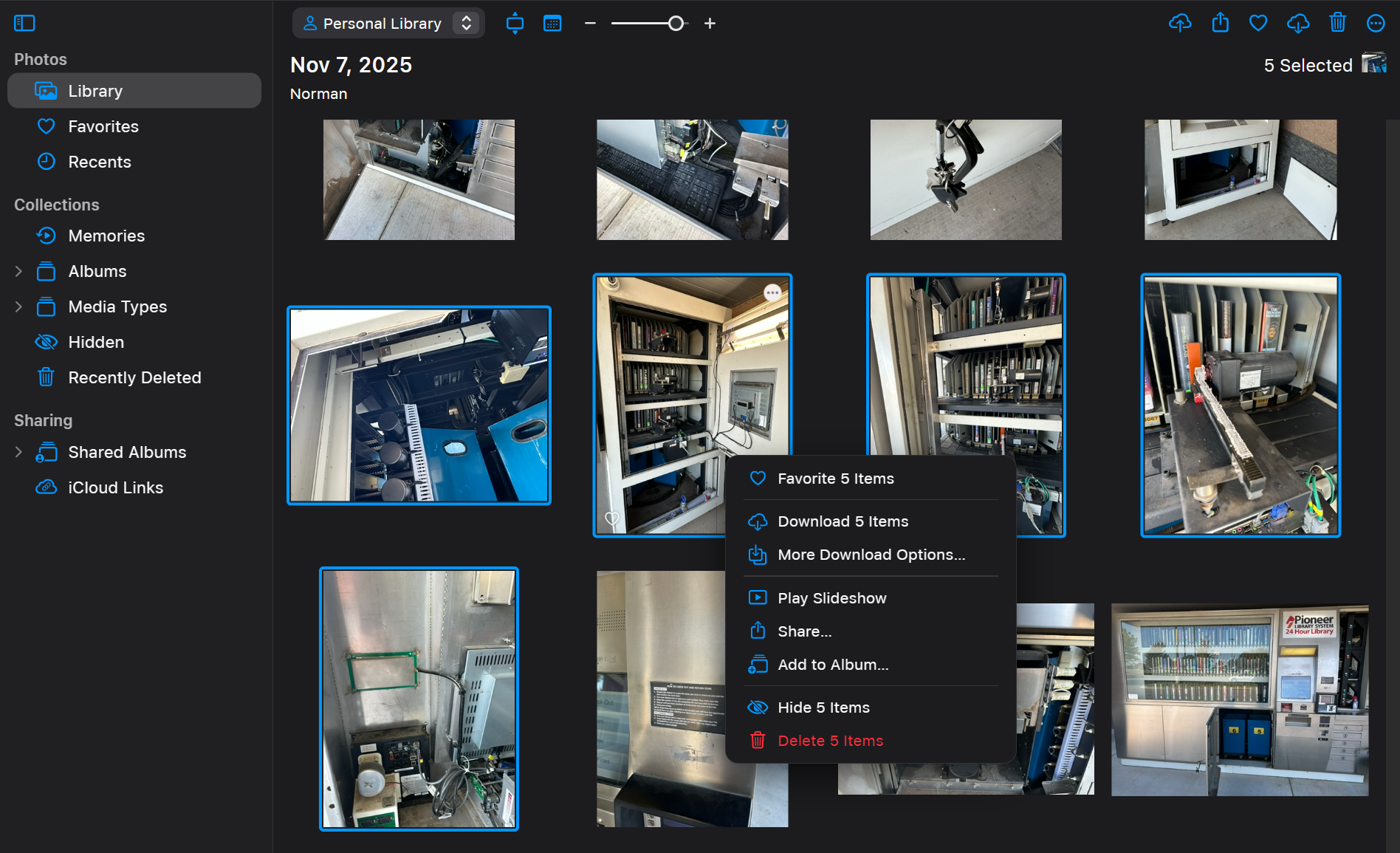
Click the Download button for "Most Compatible"

format instead of HEIC. To convert images from HEIC to JPG, see PLS Helpdesk - Convert HEIC (iPhone) photos to JPG format - Knowledge base
On your iPhone, you can also set the camera to save new photos as JPG (Settings → Camera → Formats → Most Compatible). (This affects new photos only.)
Select the photo(s) you want to download. Right click and select "More Download Options"
Click the Download button for "Most Compatible"
DataImage96.png
DataImage75.png
DataImage83.png